Each response shows the viewer’s journey, so before you follow up you know what they watched, what they chose and where they stopped.
Open their journey
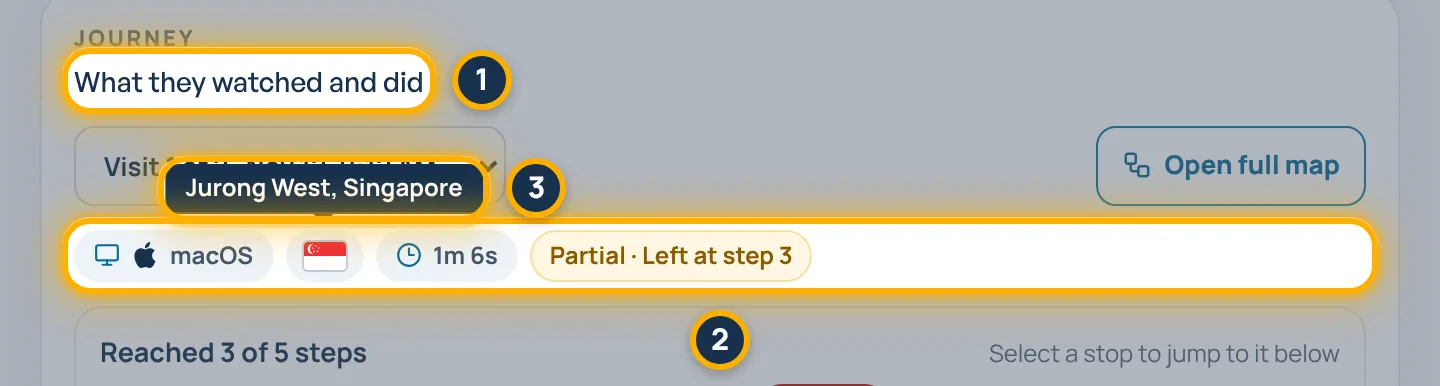
Click Responses in the menu, click a row, then scroll to What they watched and did. The chips show their device and system, their country’s flag, how long they stayed and how the visit ended.
Tip: Hover over or tap the flag to see their country and city, and the device chip to see their browser. If someone visited more than once, pick the visit in the menu above the chips.
Read the line of steps
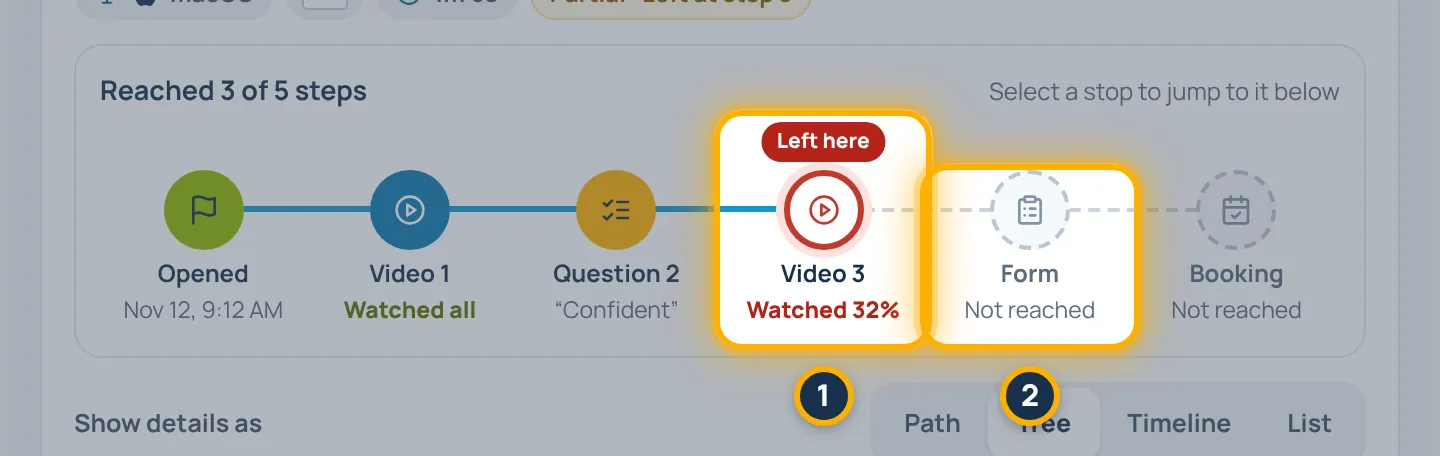
The line shows every step they reached. Left here marks where they stopped, and faded stops are steps they never reached. Click a stop to jump to it below.
Choose how to see it
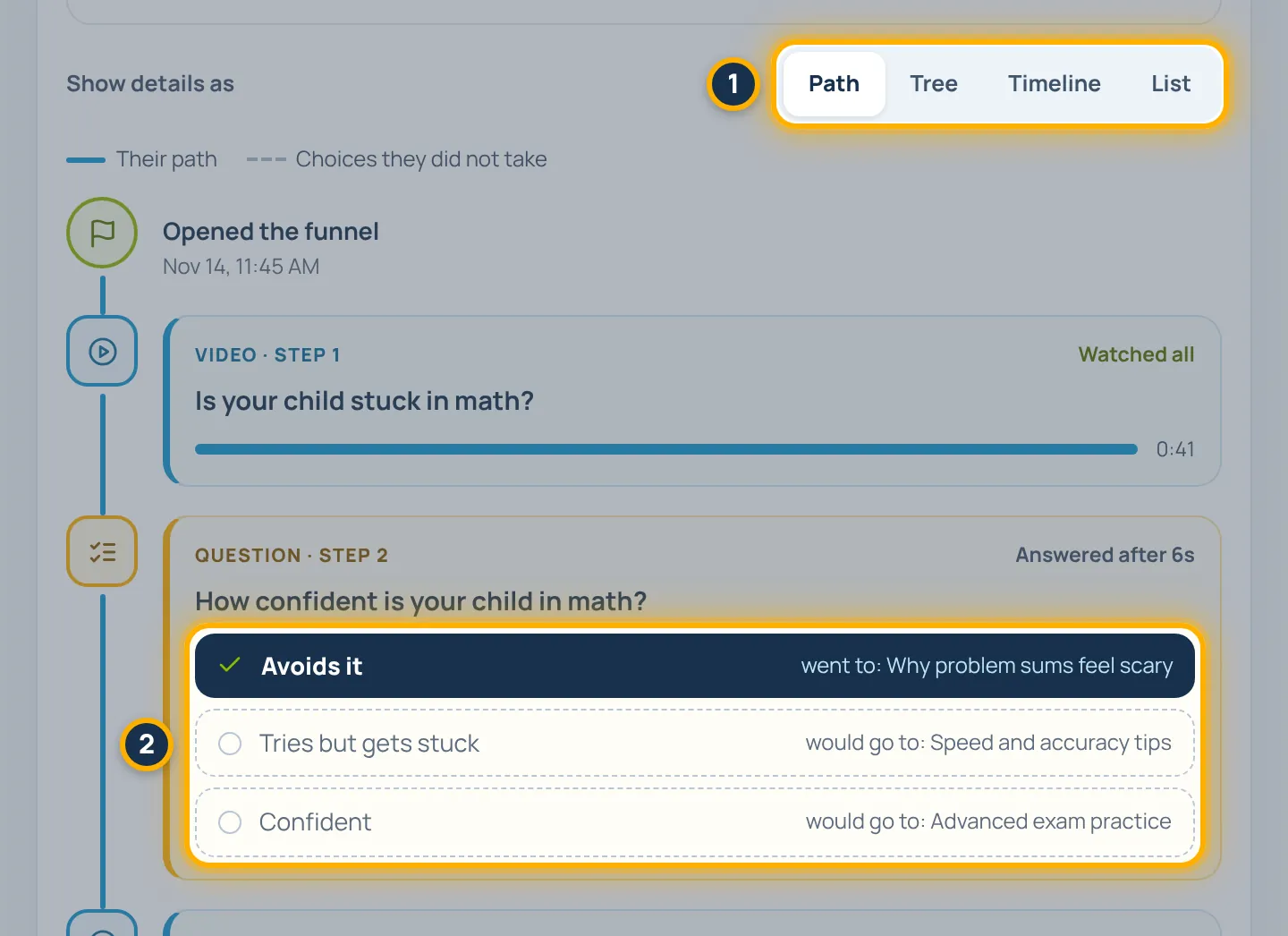
Under Show details as, choose Path, Tree, Timeline or List. Path shows one card per step, with each question’s answers inside it. Your choice is remembered on this device.
See the choices they skipped
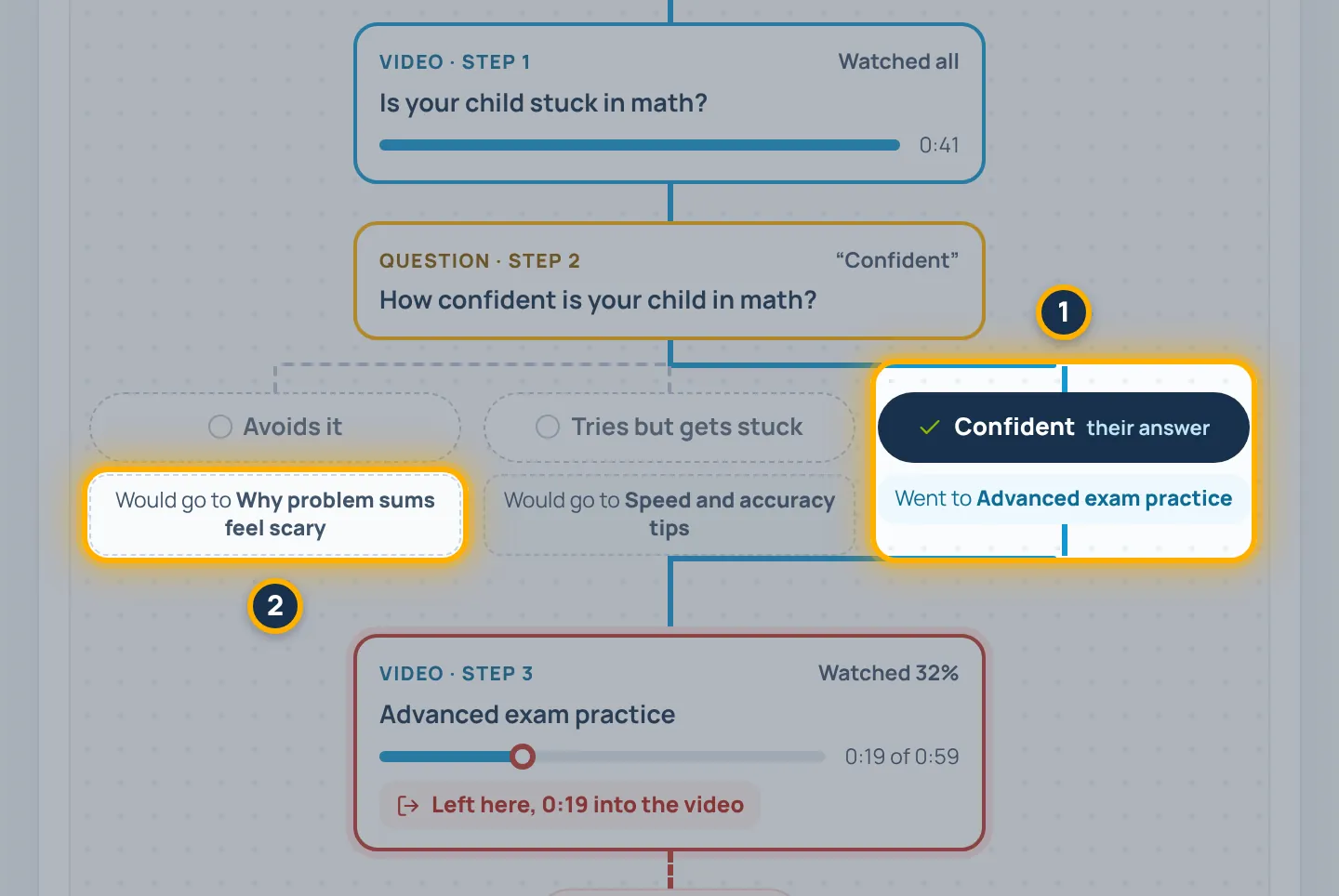
In Tree, their answer is dark and shows the step it Went to. Every other answer shows the step it Would go to.
See where their time went
In Timeline, each block is the time they spent on a step, and the step log shows when each step started.
Tip: Videos show how far they got, such as 0:19 of 0:59, so you can see where interest dropped.
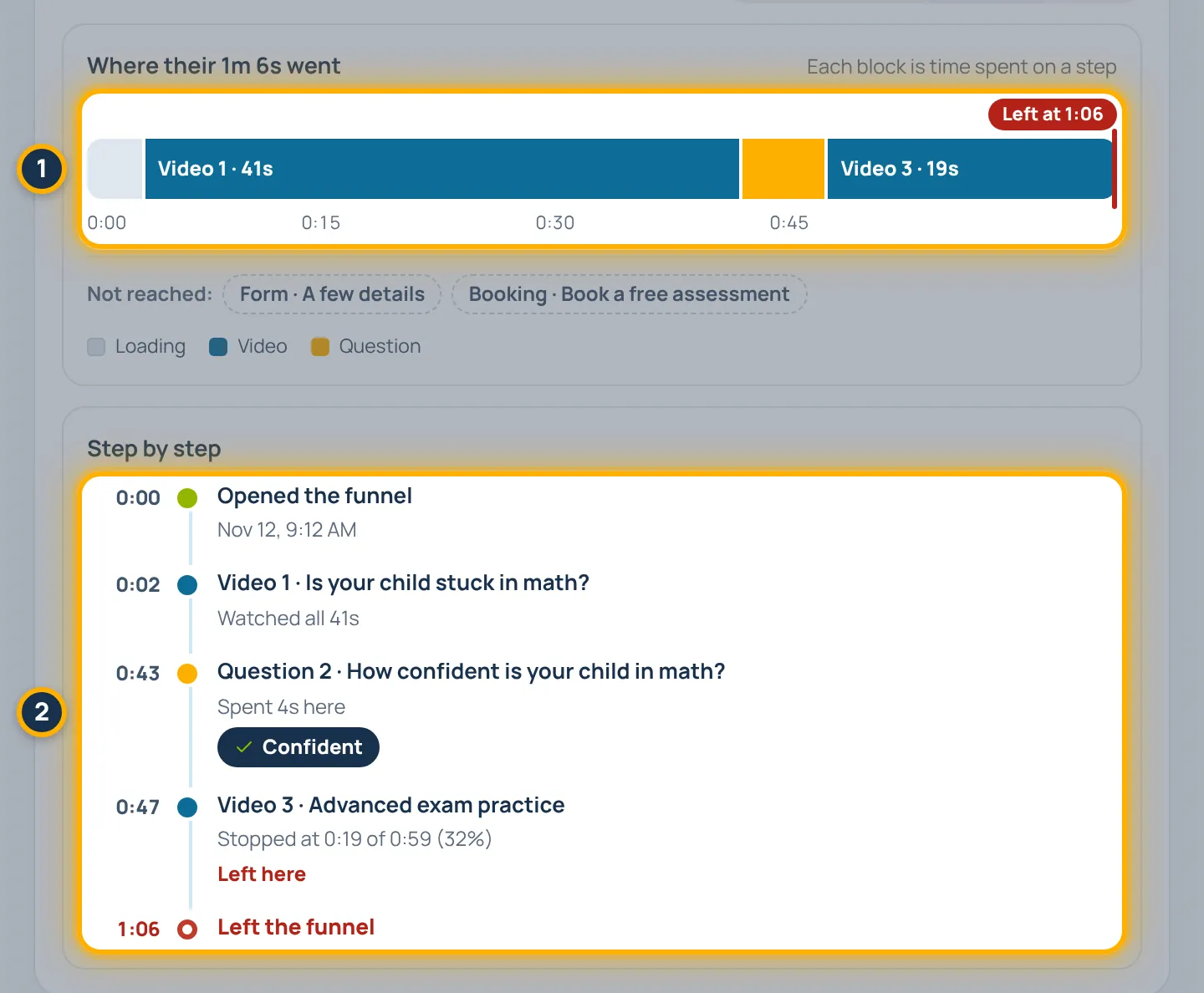
Open the full map
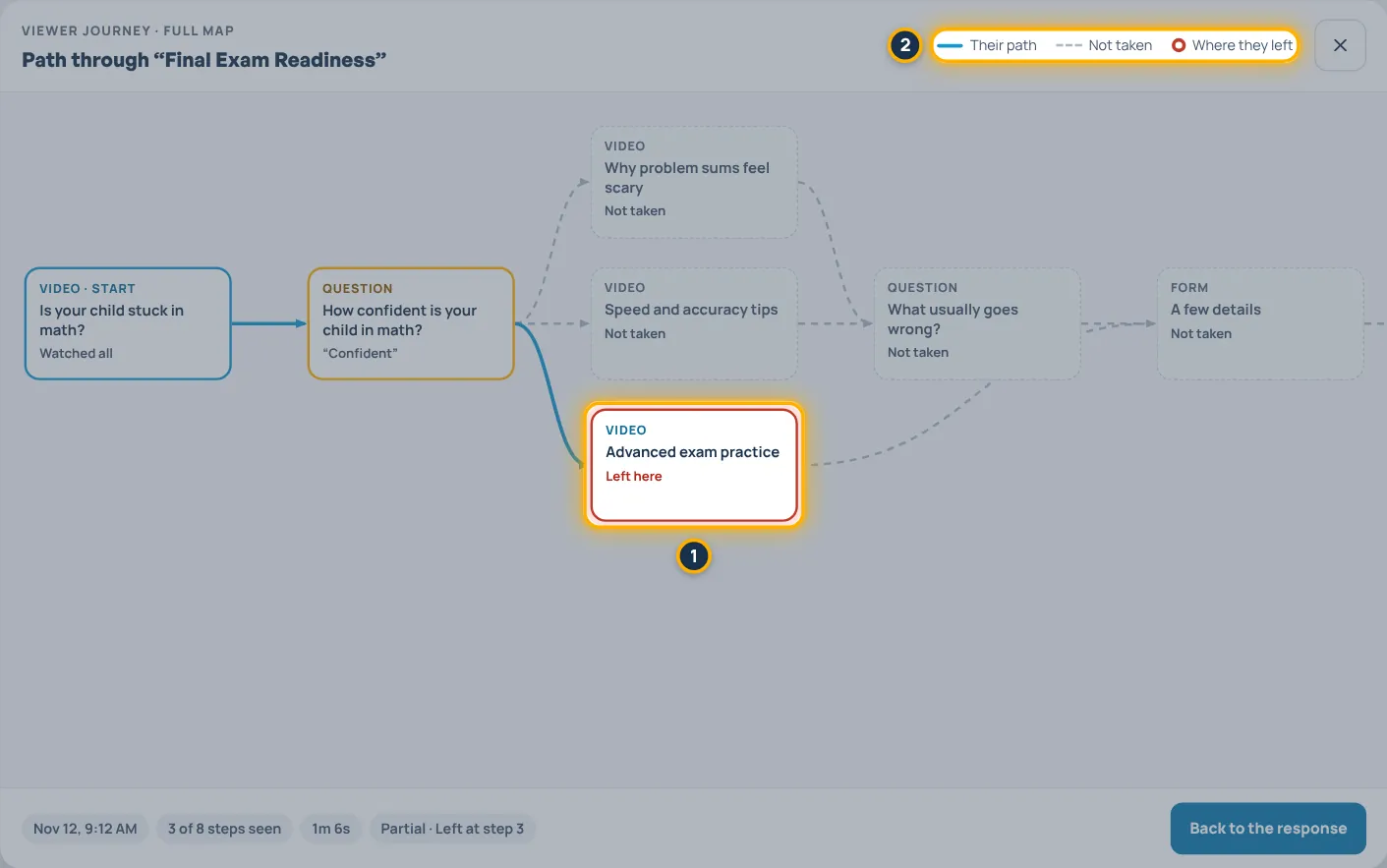
Click Open full map to see your whole funnel. Their path is blue, the steps they did not take are grey, and the step where they left is circled in red.
Something look different in your account? Contact support or email support@videosayshi.com.