Product videos that turn website visitors into qualified demos.
VideoSaysHi turns your product video into a short demo request. Buyers tap See how it works or Pricing for my team, answer two quick questions about team size and timing, and book a demo. Your sales team sees the best fits first.
Your product video asks, buyers answer, and you get qualified demo requests.
From $49/month · AI Builder on Pro and Agency · Works on every phone
Most demo requests are a name, a work email and a company, so the first call is spent on the basics. VideoSaysHi tells you what they want to see, how big their team is and when they need it in place, before the demo.
24/7demo booking from your own calendar, even after hours
11interactions you can add to any video
~10 minto a first funnel with AI Builder (Pro and Agency)
$49a month to start, cancel any time
Features
What VideoSaysHi does for your sales team
Each feature in plain words, and what it means for your business.
Product and pricing paths
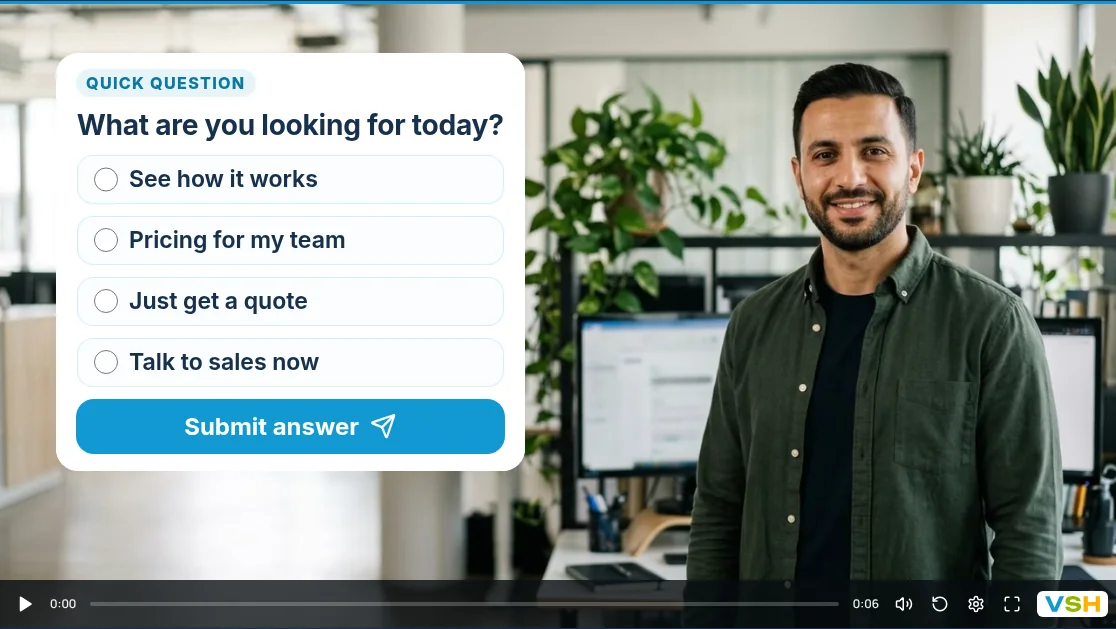
Your video asks “What are you looking for today?” and each answer plays its own video and questions.
For you: a curious user and a buyer comparing plans each hear the right message, from one link.
Video“Hi, I’m Casey”
QuestionWhat are you looking for today?
How it works pathWhat do you use today? What matters most?
Team pricing pathHow big is your team? When do you need it?
Book a demo
Get a team quote
Questions inside the video
The video pauses and buyers tap what they came for: a product walkthrough, team pricing, a quick quote or a talk with sales.
For you: your team knows what to show before the demo starts.
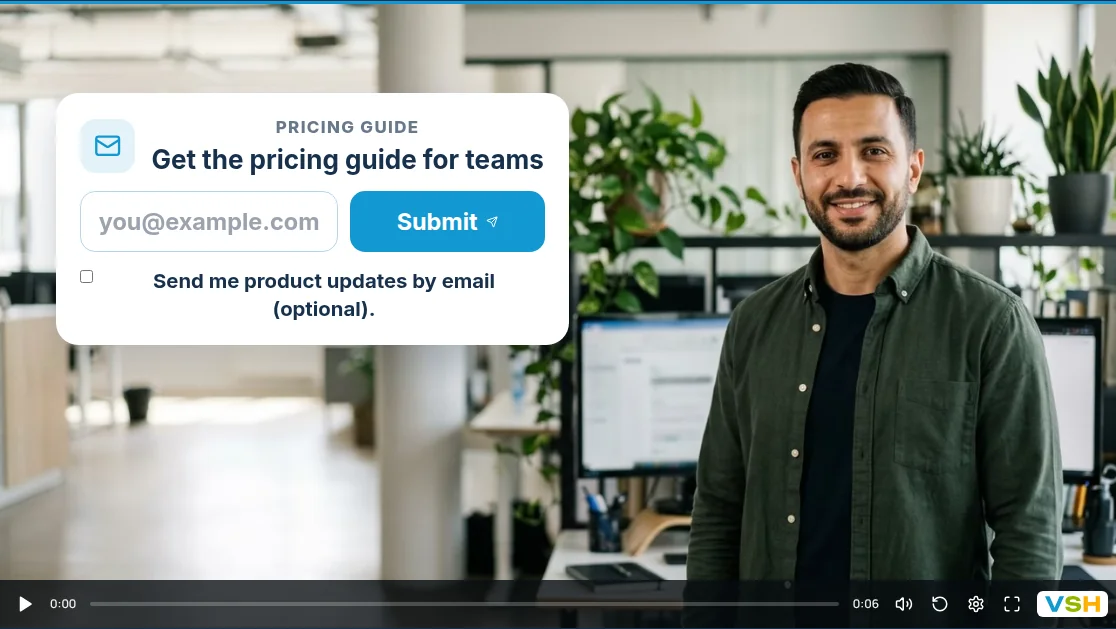
A pricing guide for their email
An email card on the video offers your pricing guide for teams. Viewers can also say yes to product updates.
For you: grow a list of buyers who are not ready for a demo yet.
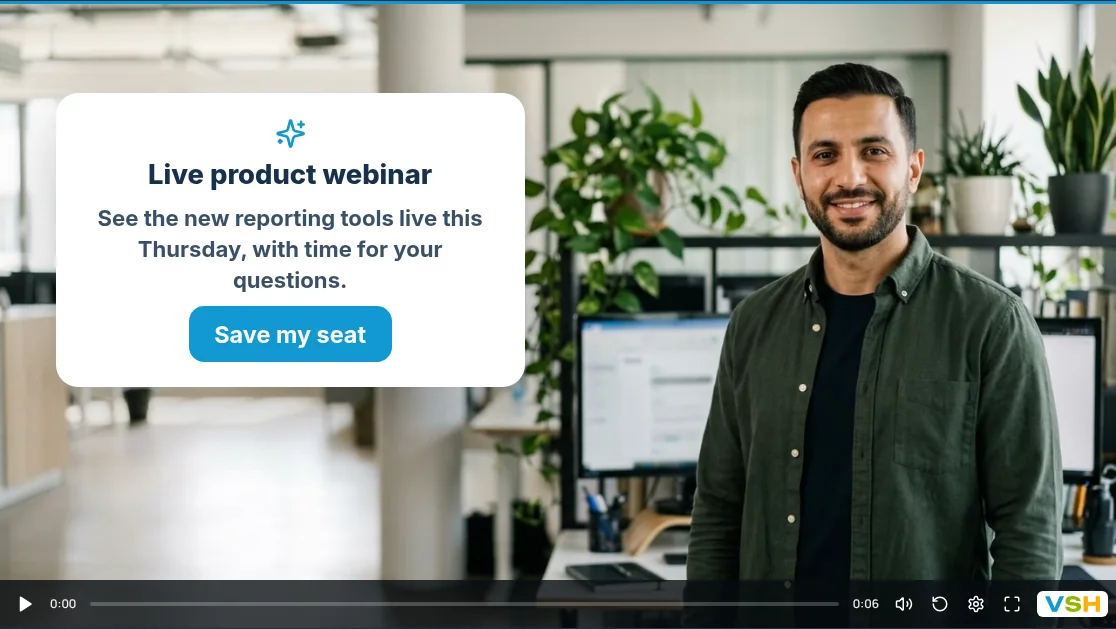
Webinar and launch invitations
A pop-up on the video invites viewers to your next live webinar with its own button, then the video carries on.
For you: product videos fill your webinar seats too.
Book a demo in the video
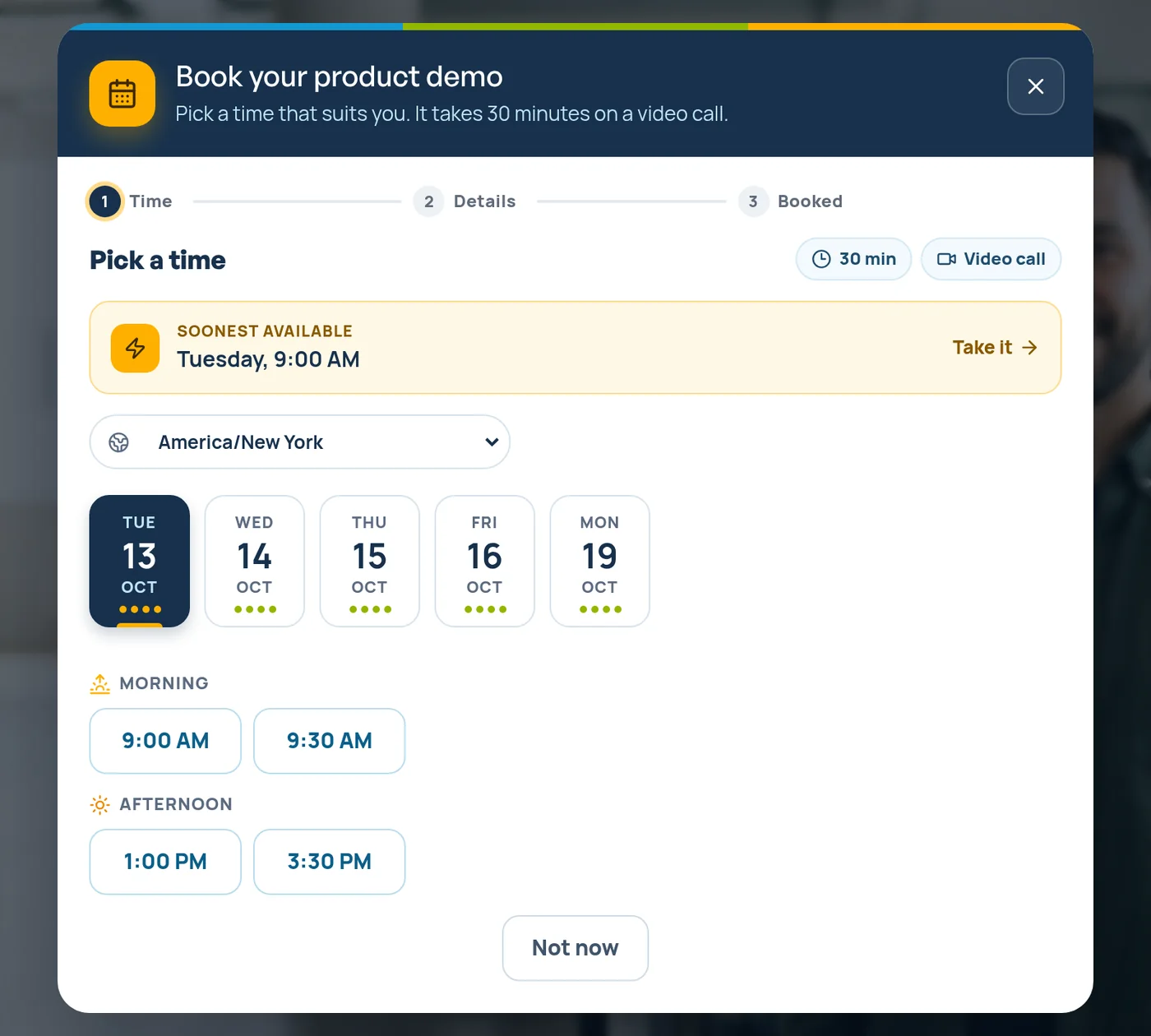
Buyers pick a time from your calendar without leaving the video. Confirmations, reminders and a calendar invite are sent for you.
For you: demos land on your sales calendar, even after hours.
An AI lead brief before every demo
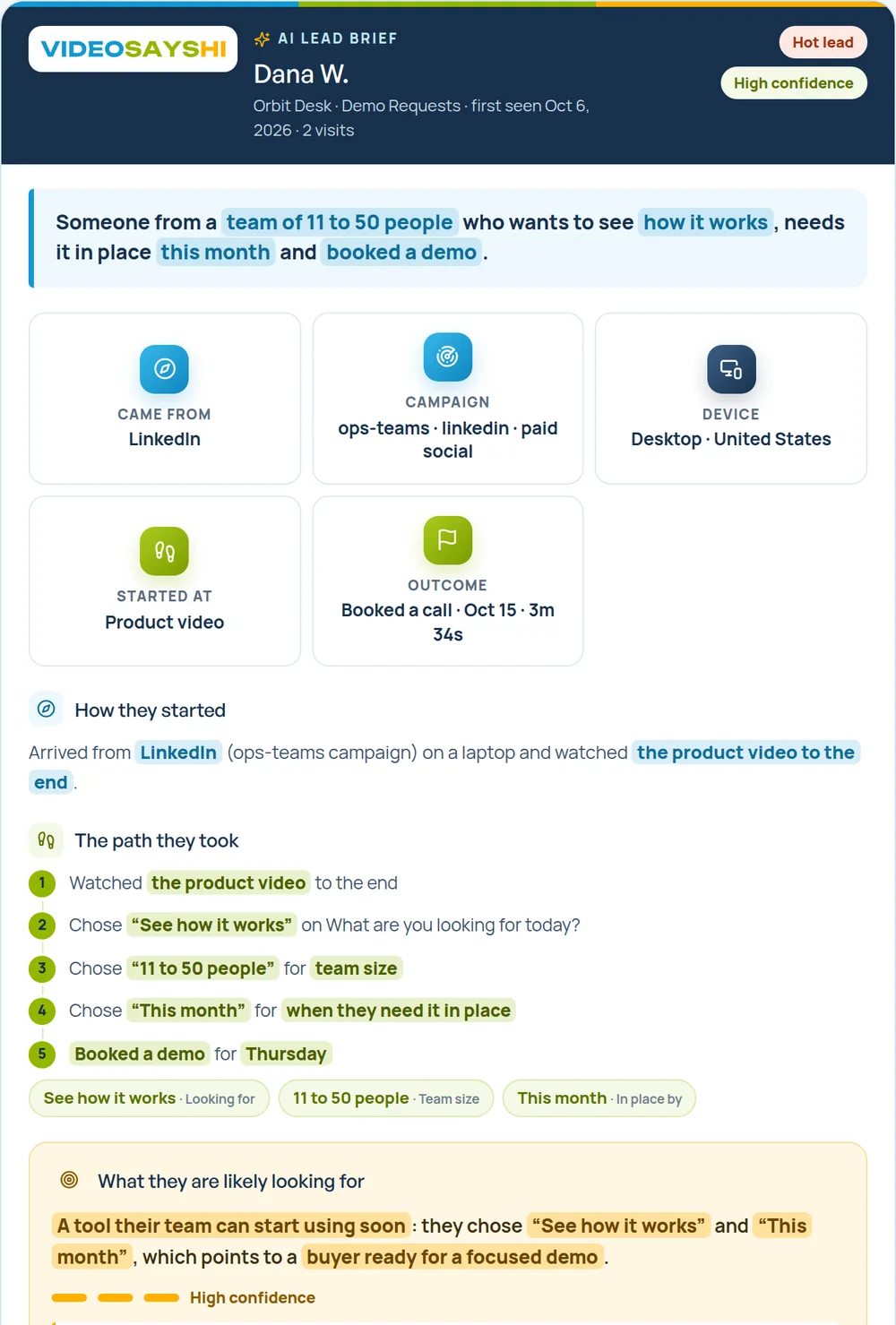
The moment someone finishes you get an email alert, and a short AI brief shows what they want to see, their team size and their timing.
For you: walk into the demo knowing what to show.
Leads with hot and warm scores
One list of every lead, scored by their answers, with notes and status.
For you: Your sales team calls the best-fit teams first.
Viewer journey
See which path they chose, what they watched and where they stopped.
For you: See whether they watched the pricing video before the demo.
Made for phones
Questions and forms fit any phone screen, from a social link, a text or an email.
For you: Buyers click from LinkedIn on their phone. It just works.
Funnel analytics
Views, answers and drop-off for every step of the funnel.
For you: See which product video books the most demos.
Before you call
A form gives you a name. A funnel gives you the story.
What you know about a new lead before you pick up the phone.
What you know
A plain contact form
VideoSaysHi funnel
Name, email and phone
Yes
Yes
A product tour or team pricing
No
Yes
How big their team is
No
Yes
When they need it in place
No
Yes
A time booked on your calendar
No
Yes
A hot, warm or cold score
No
Yes
An AI brief of what they want
No
Yes
How it works
Live in an afternoon
Start blank and add your own videos, or let AI Builder (Pro and Agency) plan the paths, questions and scripts.
1
They pick what to see
How it works, pricing for their team or a quick quote. Each path plays its own short video.
2
Two quick questions
“When do you need this in place?” and “How big is your team?”
3
Details or a demo
Name, work email and company with consent, or a demo booked straight on your calendar.
4
Sales calls the best fits first
A lead alert, a hot-lead score and an AI brief before every demo.
Use it everywhere you market
One funnel, one link
Every funnel has one share link and a QR code. Put it anywhere you post.
Product and pricing pages
Replace a plain “Request a demo” form with a short product video.
LinkedIn posts and ads
Send clicks to a video that qualifies buyers, not a long form.
Sales emails
Add the link to your outreach so buyers see the product before the call.
Webinars and trade shows
Show the QR code on your last slide, or run the funnel on a tablet in kiosk mode at your booth.
Current customers
Share an upgrade video so teams ask about more seats themselves.
Sales teams and product lines
Agency adds team members and up to 3 workspaces, one per product or region.
Integrations
Works with the tools you already use
Each lead arrives with their answers, score and booking. The label shows which plan includes it.
Bookings, calls and chats
Viewers book a time on the video or message you. The built-in calendar checks your calendar so busy times are never offered.
Built-in booking calendarSyncs with Google, Outlook and Apple calendarsAll plans
Google CalendarBusy times stay hiddenAll plans
CalendlySend viewers to your CalendlyAll plans
Cal.comSend viewers to your Cal.comAll plans
WhatsAppA button that opens a chat with youAll plans
CRM and lead lists
Every new lead goes where you already work, with answers and score.
HubSpotNew contacts with answersPro
Google SheetsA row for every leadPro
WebhooksSend leads to any system that accepts themPro
GoHighLevelContacts and tagsAgency
ZapierConnect thousands of appsAgency
Email marketing
Grow your list with people who said yes to marketing emails.
MailchimpPro
KitPro
BrevoPro
MailerLitePro
Using a CRM other than HubSpot? Send new demo requests by webhook (Pro) or Zapier (Agency) if it accepts leads that way, or work them from Leads and Google Sheets.
AI Builder · Pro and Agency
Your first funnel in about 10 minutes
Tap SaaS, add a line about your business, and AI writes the paths, questions and video scripts. Download the scripts as a PDF and record on your phone.
B2B software for operations teams · product tour and pricing · book a demo
Opening: “What are you looking for today?”
How it works path · current tools + priorities
Pricing path · team size + timing
Contact form + demo booking
Thank you · what happens next
Ask only what you need before the demo. Keep the questions to work details like team size, timing and the tools they use today. Keep contracts and security questionnaires in your normal sales process, not in a funnel.
Do the maths
What are a few more bookings worth?
Put in your own numbers. This is simple maths, not a promise.
$
$12,000a month
$144,000a year
That is about 121× the cost of Pro ($99/month).
Pricing
Simple plans for SaaS teams
Paid plans only, no long contracts. Most software teams start on Pro.
Pay once a year for Starter or Pro. Same limits as monthly; plays, submissions, AI and emails reset every month.
No. Use videos you already have, film short clips on your phone, or record in the app with the built-in teleprompter. AI Builder (Pro and Agency) writes a short script for every video.
Can buyers book a demo from the video?
Yes. Add a Book a call element or a booking step. Viewers see your next open times and book without leaving the video. Use the built-in calendar linked to your Google, Outlook or Apple calendar, or send them to Calendly or Cal.com. Confirmation emails, reminders and a calendar invite are sent for you.
Can we use screen recordings of our product?
Yes. Use any video you already have, including screen recordings and product walkthroughs, and add questions, pop-ups and a booking step on top.
Can buyers get our pricing without a demo?
Yes. Add a pricing video, or a download such as a pricing guide. You can ask for an email first, and viewers can say yes to your marketing emails at the same time.
Can buyers book outside business hours?
Yes. The funnel shows your open times at any hour, and you get an instant email alert when someone books or leaves their details.
Does it connect to our CRM?
HubSpot connects on Pro, and new contacts arrive with their answers. Pro can also send leads to Google Sheets, a webhook or your email tool, and Agency adds Zapier and GoHighLevel. If your CRM accepts leads by webhook or Zapier, you can connect it that way.
Can I pay yearly?
Yes. Starter and Pro can be paid once a year: $490 and $990, which is two months free. Limits are the same as monthly, and plays, submissions, AI and emails still reset every month. Agency is billed monthly.
Is there a free trial?
No. Plans start at $49 a month and you can cancel any time. Your plan stays active until the end of the period you paid for.
Can our sales team share it?
Yes, on the Agency plan. It includes 3 team members with roles and up to 3 workspaces, so each product or region can have its own funnels and leads.