A personal report gives viewers a reason to finish your funnel and a reason to book. You design the template once and it goes out automatically.
Create a template
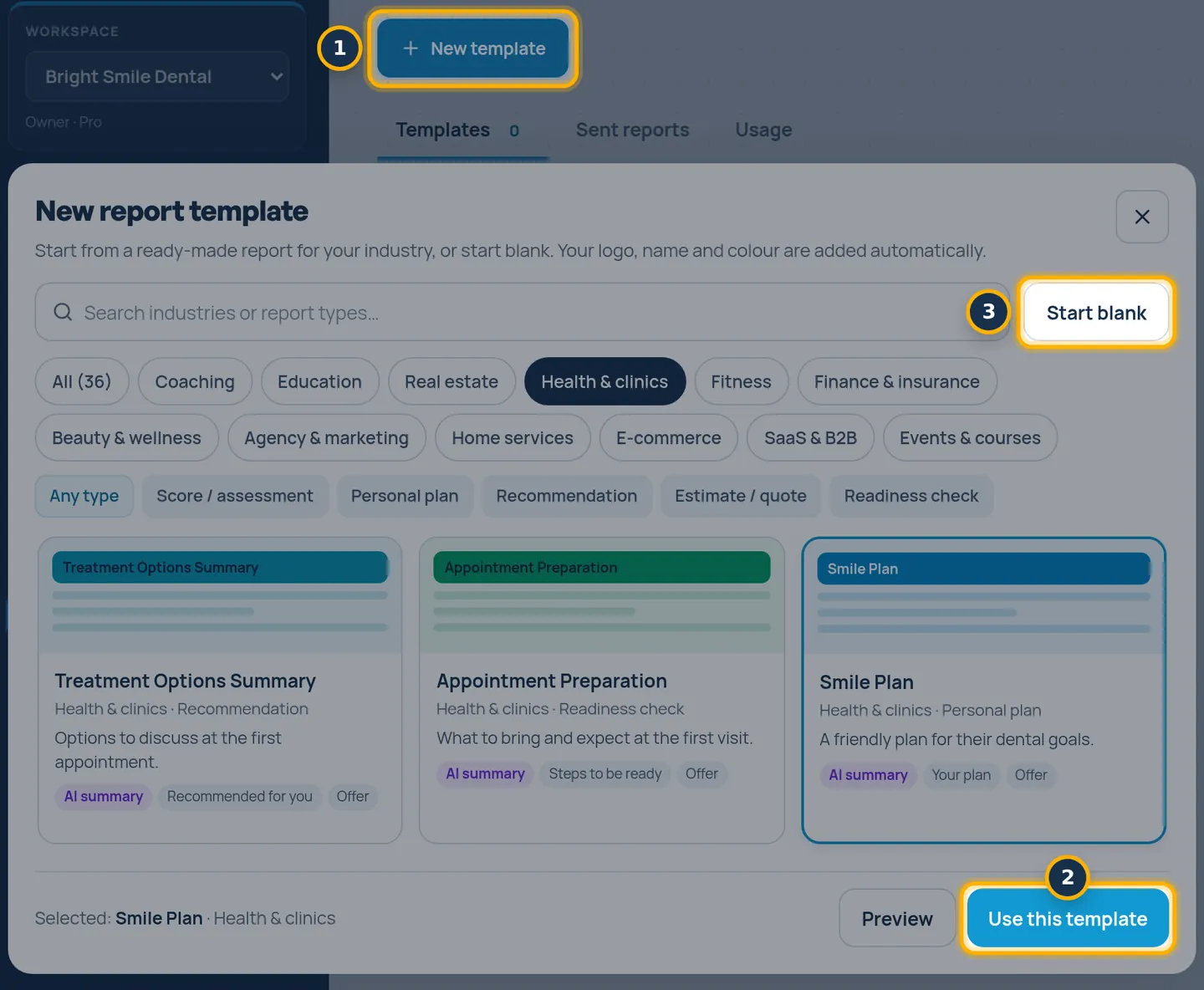
Click Reports in the menu and click New template. Pick a ready-made template and click Use this template, or click Start blank.
Make it yours
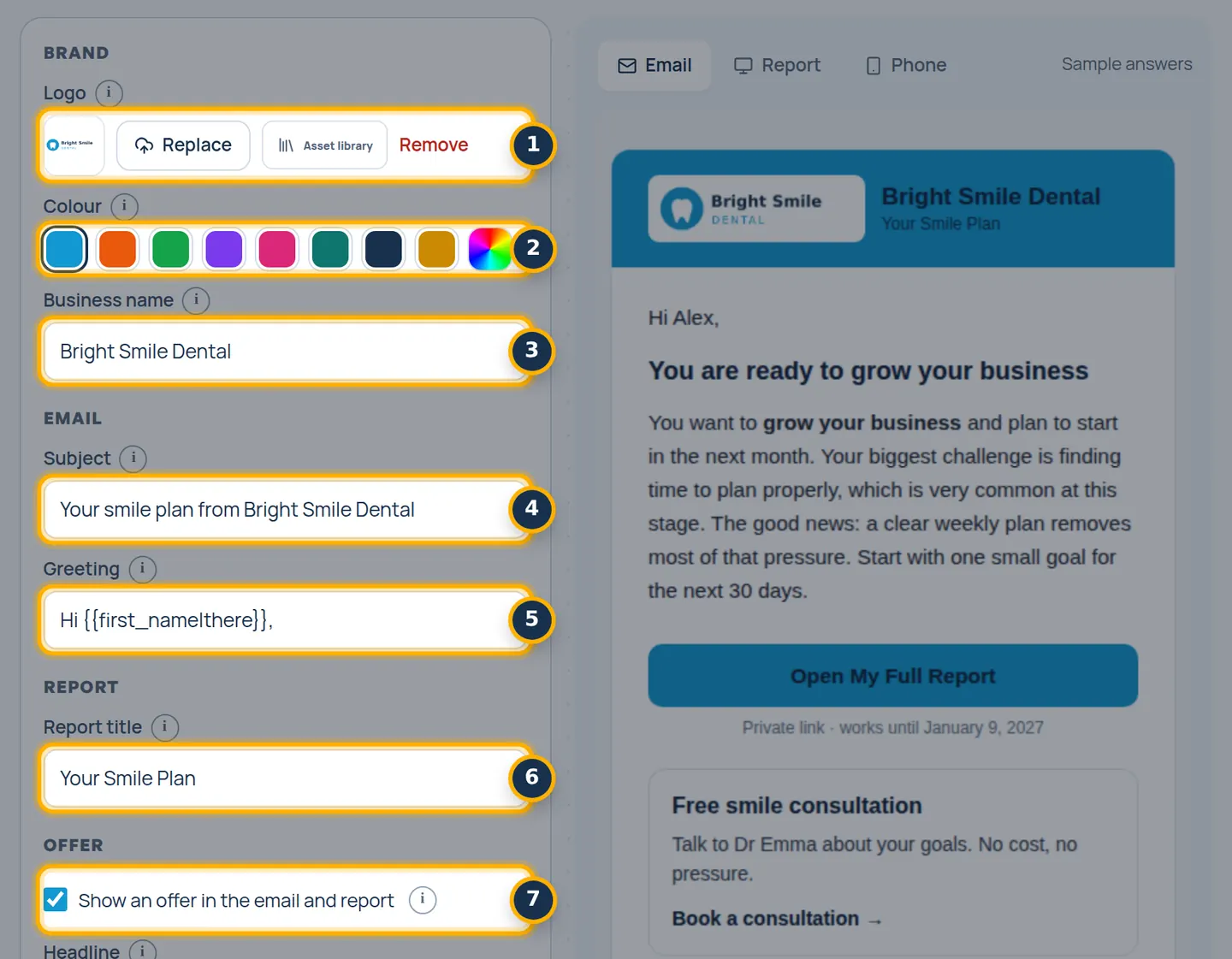
Add your Logo, Colour and Business name, then edit the Subject, Greeting and Report title. Turn on Show an offer in the email and report if you have an offer.
Test it
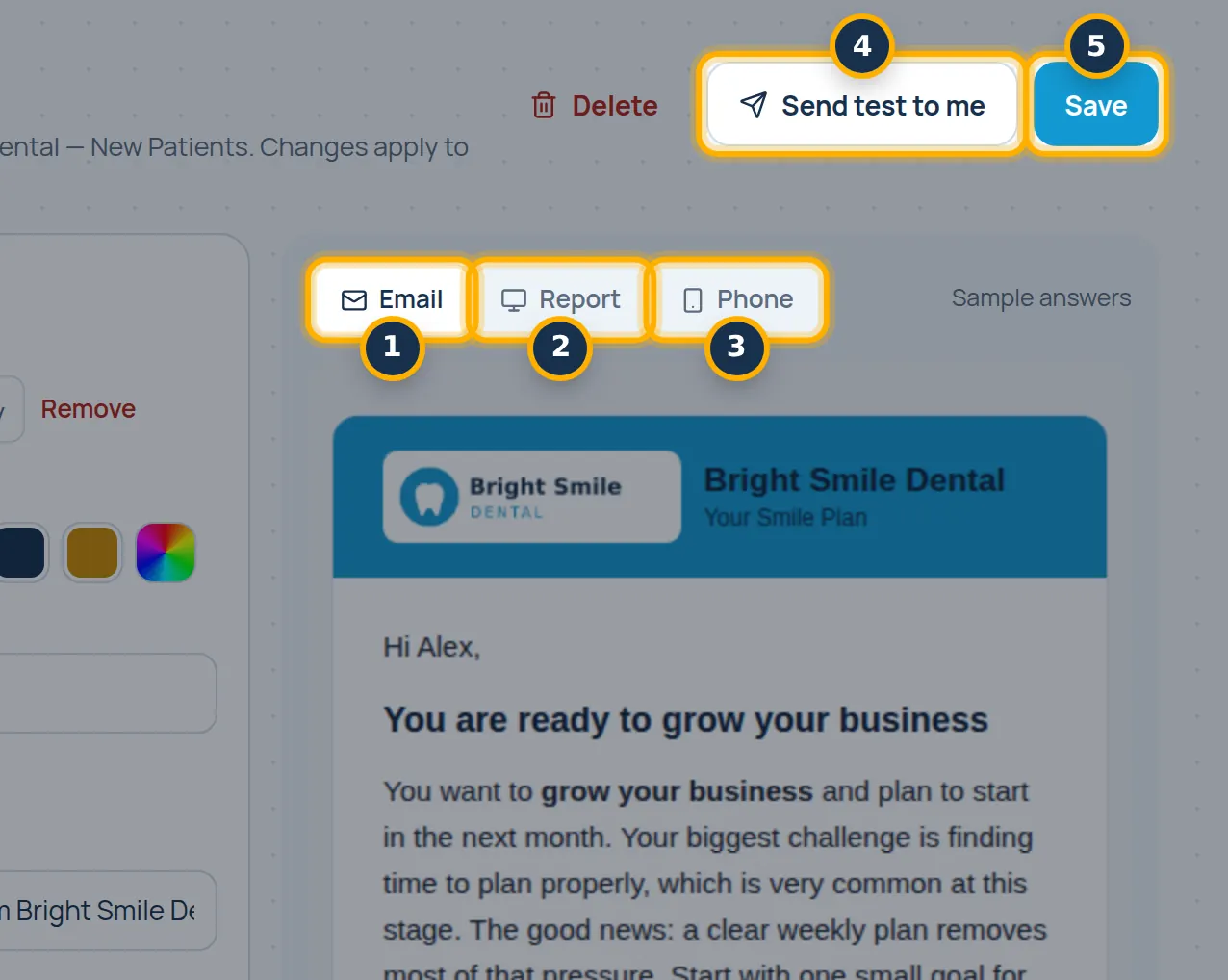
Check the Email, Report and Phone previews, click Send test to me, then click Save.
Turn it on for a funnel
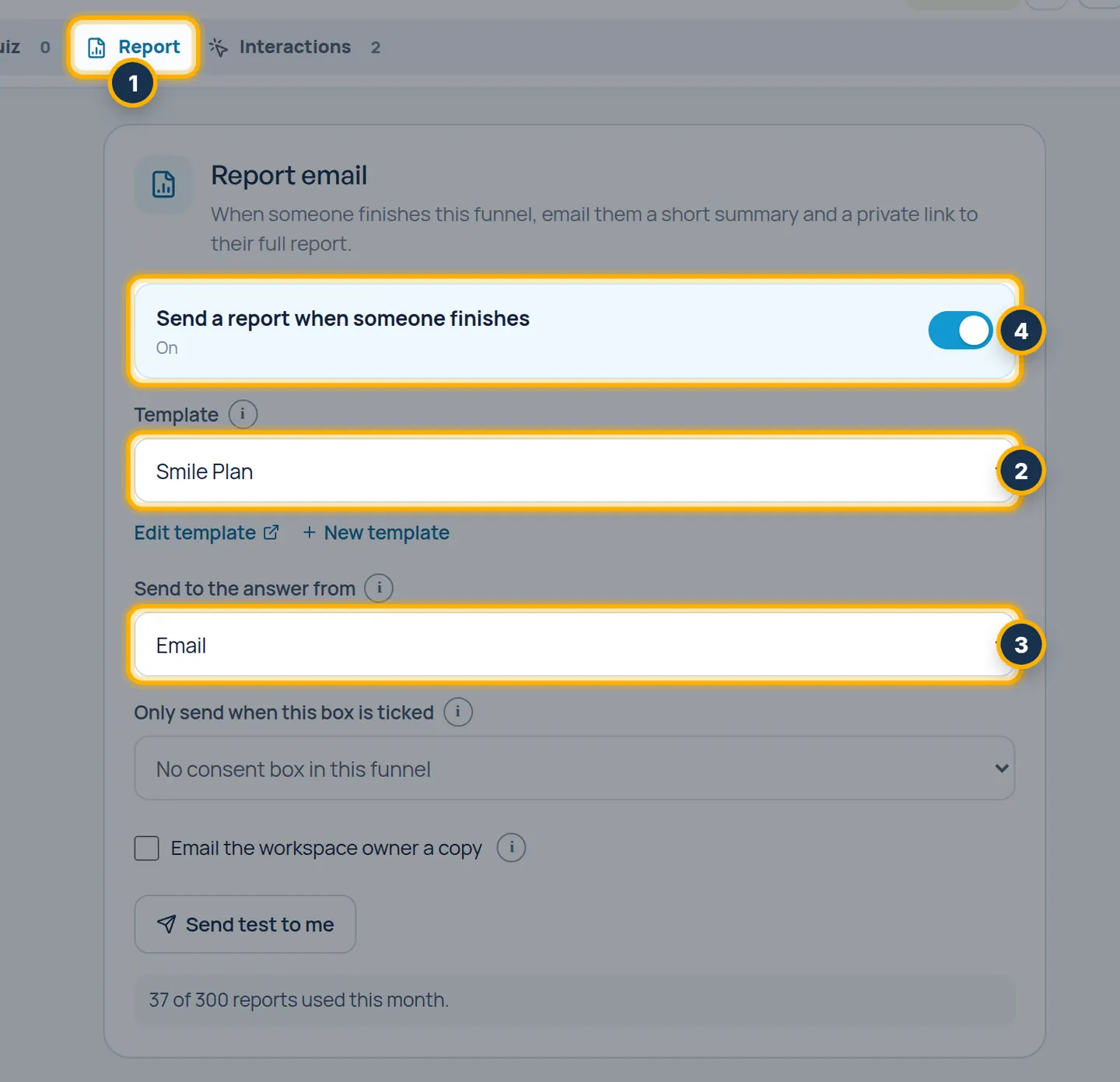
Open the funnel in the editor and click the Report tab. Choose your template under Template, pick the email question under Send to the answer from, then turn on Send a report when someone finishes.
Tip: The switch works once the funnel has an email question. Reports only go out after you publish.
Check what was sent
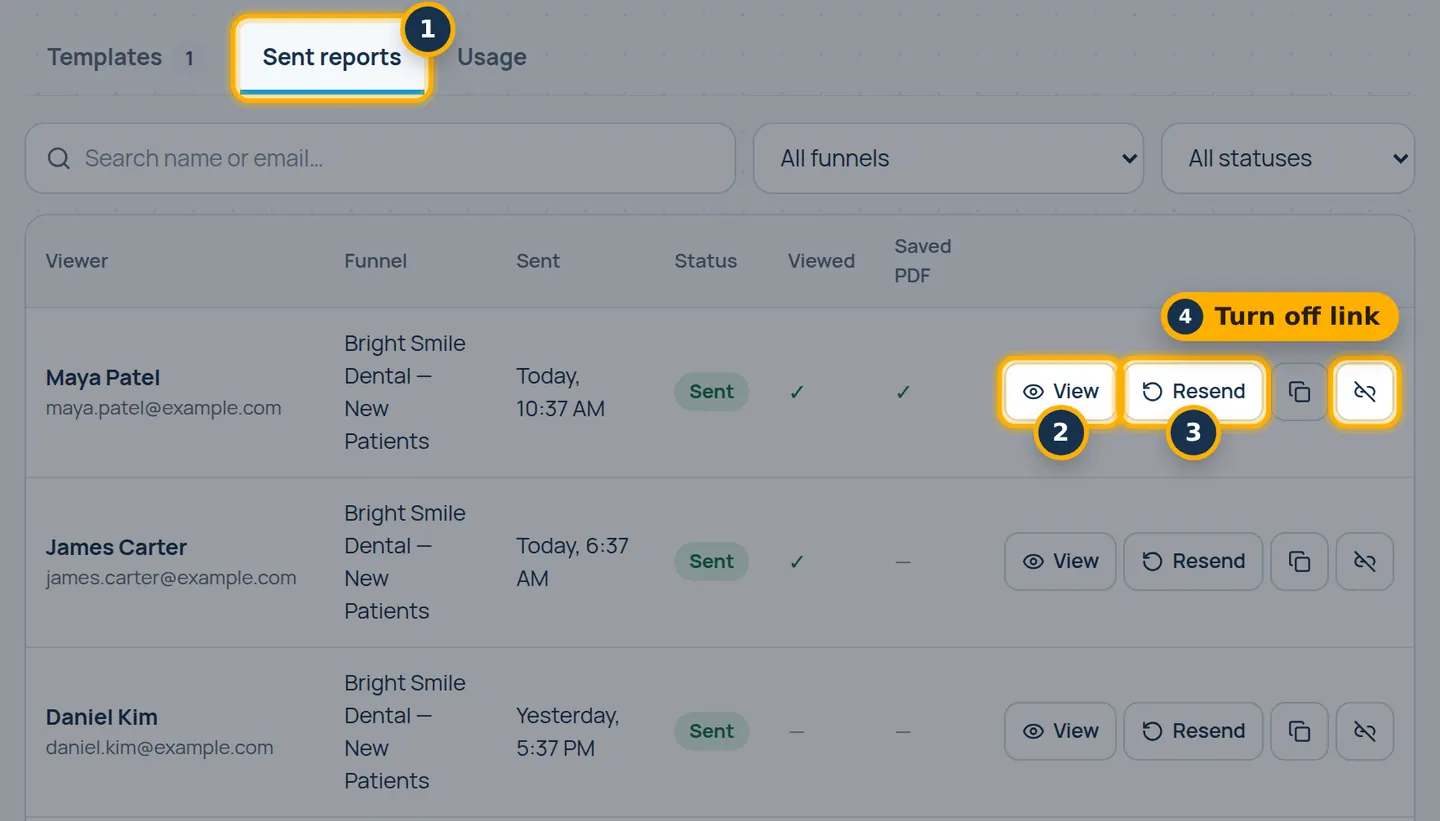
Back in Reports, open Sent reports to view, resend or turn off any report link.
Something look different in your account? Contact support or email support@videosayshi.com.