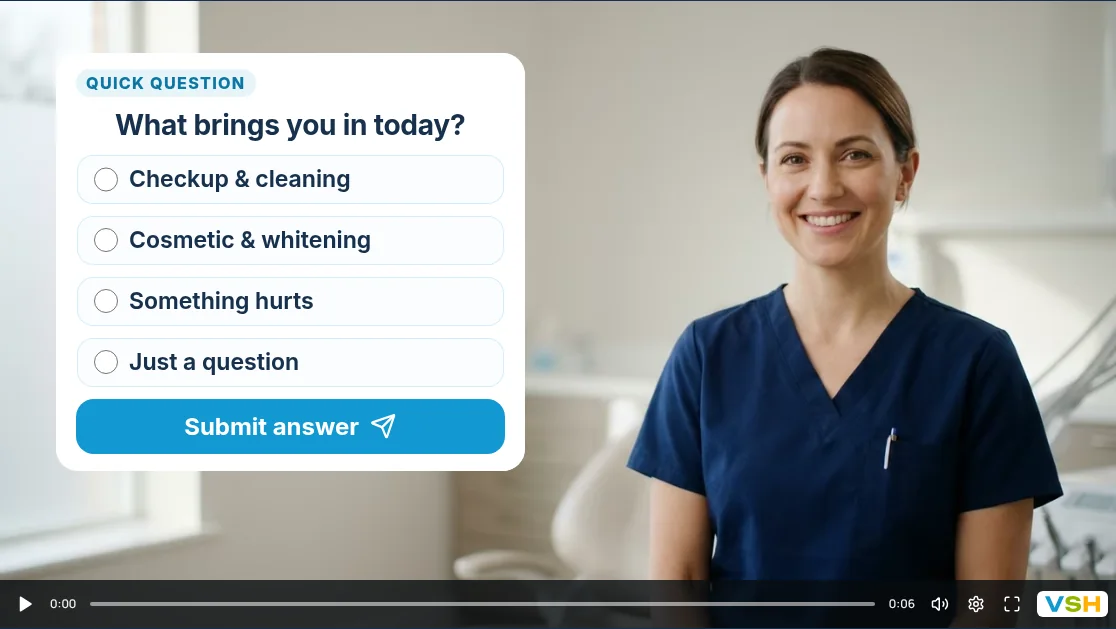
Most websites ask people to fill in a form and wait. An interactive video funnel does something different: it lets people meet you on video first, answer a few questions as they watch, and leave their details when they are ready. This guide explains how that works and, just as important, when it is the wrong tool.
The short answer
An interactive video funnel is a short set of videos that the viewer takes part in. Instead of watching to the end and leaving, they tap an answer, pick a path, fill in a short form or book a time, right on the video.
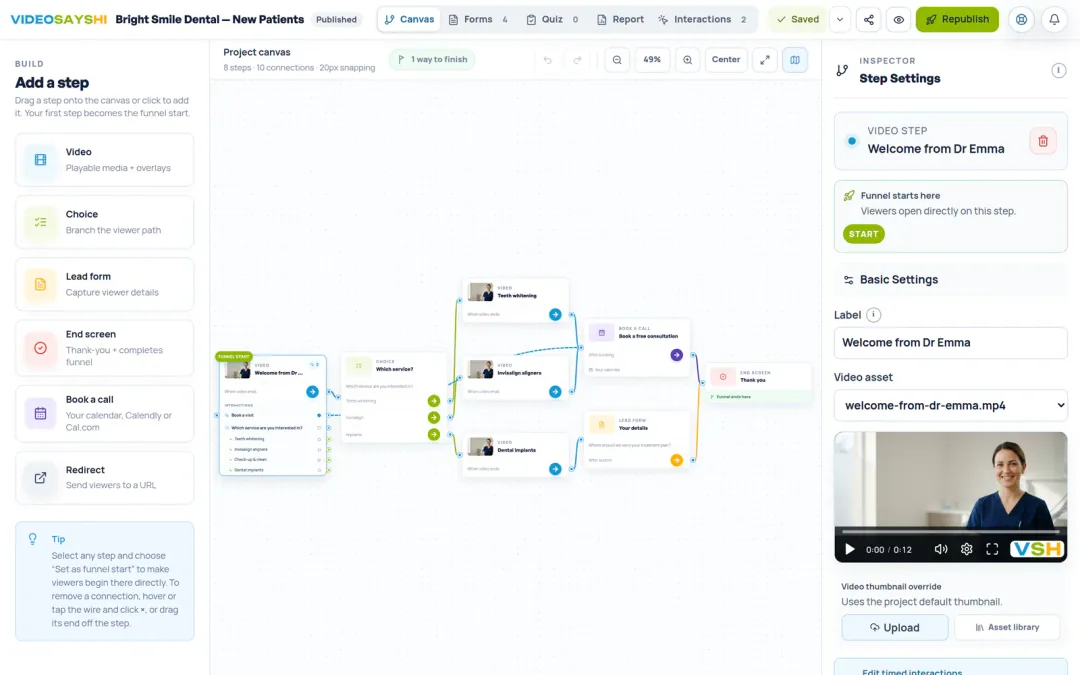
Each answer can lead to a different next video. Someone asking about price hears about price. Someone asking about timing hears about timing. When they finish, you get their answers and contact details as a new lead.
How it works, step by step
- A person opens your link. It can be in an email, an ad, a text message, a QR code on a flyer, or built into your website.
- A short welcome video plays. You (or someone from your team) say hello and explain what happens next.
- A question appears on the video, such as “Which service are you interested in?”, with a few answers to tap.
- Their answer picks the next video, so each person hears the part that matters to them.
- At the end, a short form asks for their name and email, or a calendar lets them book a call.
- You get the lead, with every answer they gave, and can follow up while they still remember you.
How it compares with a form or a normal video
A form collects details but feels cold. A normal video feels personal but only talks; it cannot listen. An interactive video funnel sits between the two.
| Web form | Normal video | Interactive video funnel | |
|---|---|---|---|
| People see and hear you | No | Yes | Yes |
| Asks questions | Yes | No | Yes |
| Different next step for each answer | Sometimes | No | Yes |
| Collects contact details | Yes | No | Yes |
| Lets people book a time | Sometimes | No | Yes |
It is not a webinar or a long sales video. Each video in a funnel is short, usually 15 to 60 seconds, and asks for one thing at a time.
For a closer look at the trade-offs, see video form vs contact form.
When an interactive video funnel is a good fit
- You answer the same questions before every first call. Put those answers on video once and let people pick the ones they need.
- People choose you because of who you are. Dentists, coaches, real estate agents, law firms and other services built on trust benefit from being seen and heard early.
- Your leads want different things. If a new patient and a returning patient need different information, separate paths keep each video short and relevant.
- You meet people in person. At open houses, events or a front desk, the same funnel can run on a tablet in kiosk mode and start over for each guest.
- You want to know who is serious before you book them. A question or two about budget or timing tells you who to call first.
When to skip it
An interactive video funnel is not the answer to everything. It is probably not worth it when:
- You sell a simple, low-cost product that people simply add to a cart and buy.
- You have one offer and nothing useful to ask before someone buys.
- You cannot record a few short videos. Phone videos are fine, but someone has to be on camera.
In those cases a clear product page or a simple form will serve people better.
What to put in your first funnel
Start small. A first funnel with four parts is enough to learn what your viewers want:
- A welcome video of about 15 seconds: who you are and what this is for.
- One question with three or four answers, about the thing you most need to know.
- A short video for each answer, speaking to that choice.
- A finish: a short form for name and email, or a calendar to book a call.
Ask one question per video and keep every video under a minute. You can always add more paths once you see how people answer.
How to tell if it is working
Look at three things in your results: how many people start the funnel, how many finish it, and where people stop. If many stop at one video, shorten it or make its question easier. The answers people give are useful too: they tell you what your audience cares about in their own words.
Get started
The step-by-step guides below take you from a blank page to a shared funnel. For ideas from your field, see these interactive video examples for local businesses, or the pages for dentists, real estate agents and coaches.
Choosing a tool? See how the main interactive video tools compare on features, prices and the jobs each one suits.