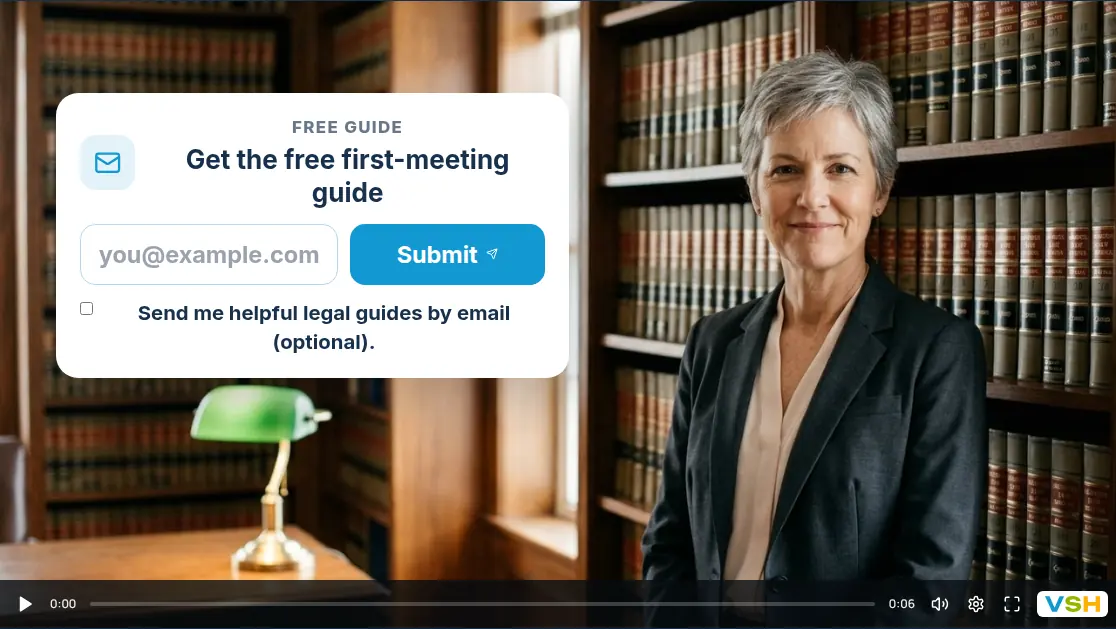
Most websites end with the same contact form: name, email, message, send. It works, but it says nothing about you and asks nothing useful. A video form puts you on screen first. Here is how the two compare, when each one is the better choice, and how to try a video form without risking the leads you already get.
In short
A contact form collects details. A video form lets people see you first, answer a question or two as they watch, then leave the same details. Keep a plain form when people already know what they want; use a video form when they need to trust you or choose between options first.
What is the difference?
A contact form is a few fields and a send button. People type a message, and you reply.
A video form starts with a short video from you. Questions appear on screen as people watch, each answer can play a different next video, and the contact fields come at the end. The answers and the contact details arrive together.
Side by side
| Contact form | Video form | |
|---|---|---|
| People see and hear you first | No | Yes |
| Asks a question before the contact fields | Sometimes | Yes |
| Different next step for each answer | No | Yes |
| Book a time in the same place | Sometimes | Yes |
| Works without recording anything | Yes | No |
| Quick to set up | Yes | Takes longer |
A video form does not replace a support or billing form. Those visitors already know what they need and just want to reach you.
When a plain contact form is enough
- People already know what they want, such as a returning customer booking the usual service.
- You sell one simple thing, with nothing useful to ask first.
- The page is for support, billing or partnerships.
- Nobody on your team can record a few short videos yet.
When a video form works better
- Trust decides the sale. Dentists, law firms, coaches and agents are chosen for who they are, so being seen first helps.
- People choose between options. One question sends each visitor to the service that fits, instead of a generic reply.
- You need context before you call. Timing, budget or the kind of job, asked as taps instead of typing.
- You want to book, not just reply. The calendar sits at the end of the video, so people can pick a time straight away.
- You meet people in person. The same funnel runs on a tablet at events or a front desk.
See ten examples for local businesses for the question each industry asks.
What arrives with each lead
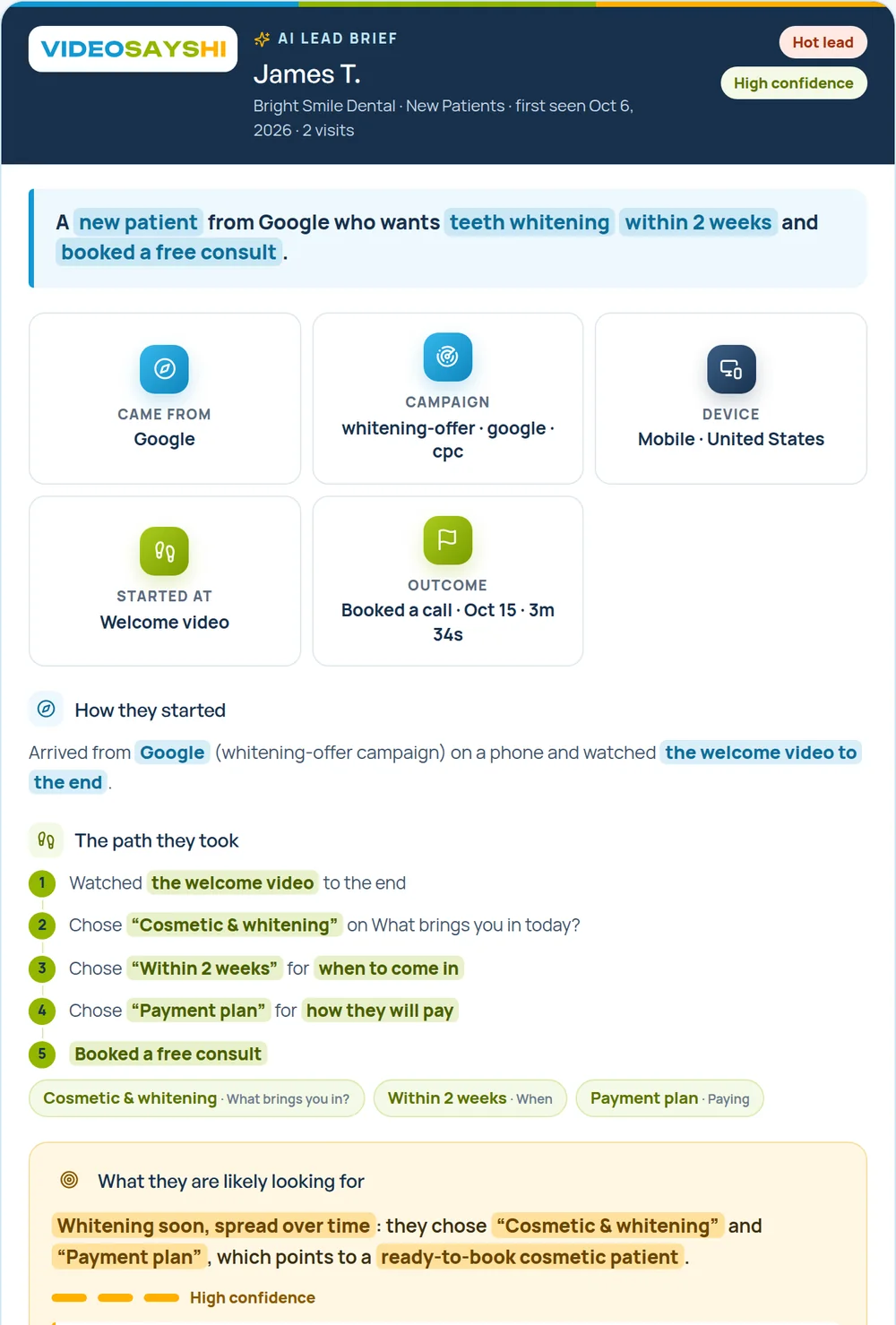
A contact form gives you a name, an email and a message. A video form gives you the same details plus every answer, the path they took and how far they watched. VideoSaysHi can also write a short AI lead brief that suggests who to call first and how to open the conversation.
How to try one without losing leads
- Keep your current contact form where it is.
- Add a short video form next to it, on the same page or as a link in your emails and ads.
- Ask for the same contact details at the end, so leads look the same in your inbox or CRM.
- Give it a few weeks, then compare how many people started, how many finished, and how the first calls went.
- Keep what works. Running both is fine: the video form for new enquiries, the plain form for everything else.
The contact details guide and the sharing guide show both steps.
Common mistakes
- Asking for an email before anything else. Let people see you and answer one question first.
- A long welcome video. Fifteen seconds is enough; see the welcome video script guide.
- Questions that change nothing. If an answer does not change what happens next or what you say on the call, drop it.
- Too many fields at the end. Name, email and phone cover most first contacts.