A new patient’s first contact is often a short message, a missed call or a visit to your website at night. A few quick questions before they book tell you which appointment to offer, how long to set aside and whether it can wait. Here is what to ask, what to leave for the visit, and how to ask it on video.
In short
Before the visit, ask what brings them in, whether anything hurts, when they last saw a dentist, who the visit is for and whether they have dental insurance. Keep medical history and insurance details for your practice’s own patient forms, and use the answers to offer the right appointment.
Why ask before the first visit
A checkup, a whitening consultation and a toothache need different appointments, different lengths and sometimes a different person. When you know which one it is before they book, the front desk spends less time on the phone and the patient gets the right slot the first time.
It also helps the patient. Choosing from a few clear options is easier than writing a message, and they feel heard before they walk in.
Questions to ask before they book
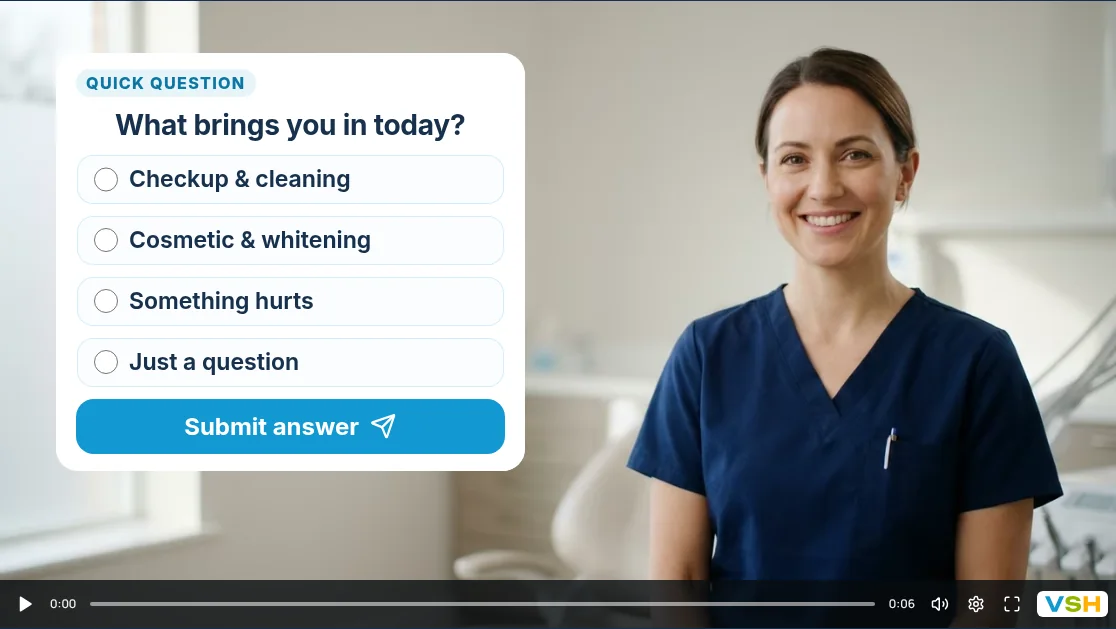
- What brings you in today? Checkup and cleaning, cosmetic or whitening, something hurts, or just a question. This decides the appointment type.
- Is anything hurting right now? If yes, offer your soonest time or ask them to call the practice.
- When did you last see a dentist? Within a year, one to two years ago, longer, or not sure. It helps you plan the length of the first visit.
- Who is the visit for? Themselves, a child or the whole family.
- Do you have dental insurance? Yes, no or not sure. A simple answer is enough; member numbers belong in your own forms.
Keep it to five taps or fewer. Medical history, medicines and insurance details belong in your practice’s own patient forms, not in a marketing video.
When someone is in pain
Give “Something hurts” its own path. A short clip can say how to reach you today, show your soonest open times and add a WhatsApp me button so they can message the practice straight from the video.
A video is not a way to assess an emergency. If someone has swelling, a fever or trouble breathing or swallowing, the video should tell them to call the practice or emergency services straight away.
How to ask on video
- Record a 15-second hello from someone at the practice. The welcome video script guide has examples to adapt.
- Ask “What brings you in today?” with four answers: checkup and cleaning, cosmetic or whitening, something hurts and just a question.
- Each answer plays a short clip: what a first checkup includes, how a cosmetic consultation works, or how to be seen soon.
- Ask for name, email and phone, with a consent checkbox, then show the booking calendar for the right appointment type.
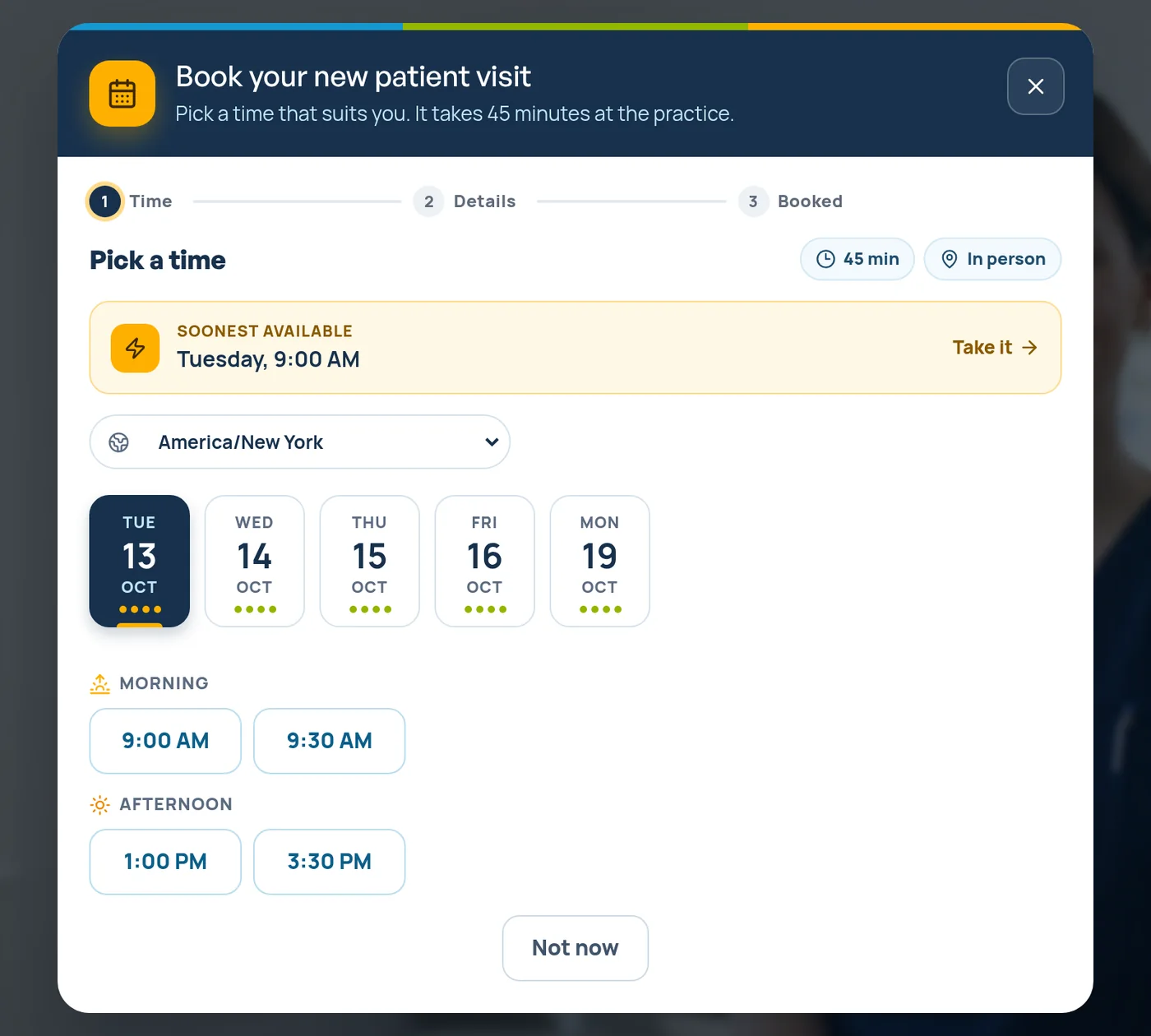
Set it up with add a question to your video, set up your booking calendar and book a call inside the video. Link your own calendar, so times you are busy are never offered.
Use the answers before the visit
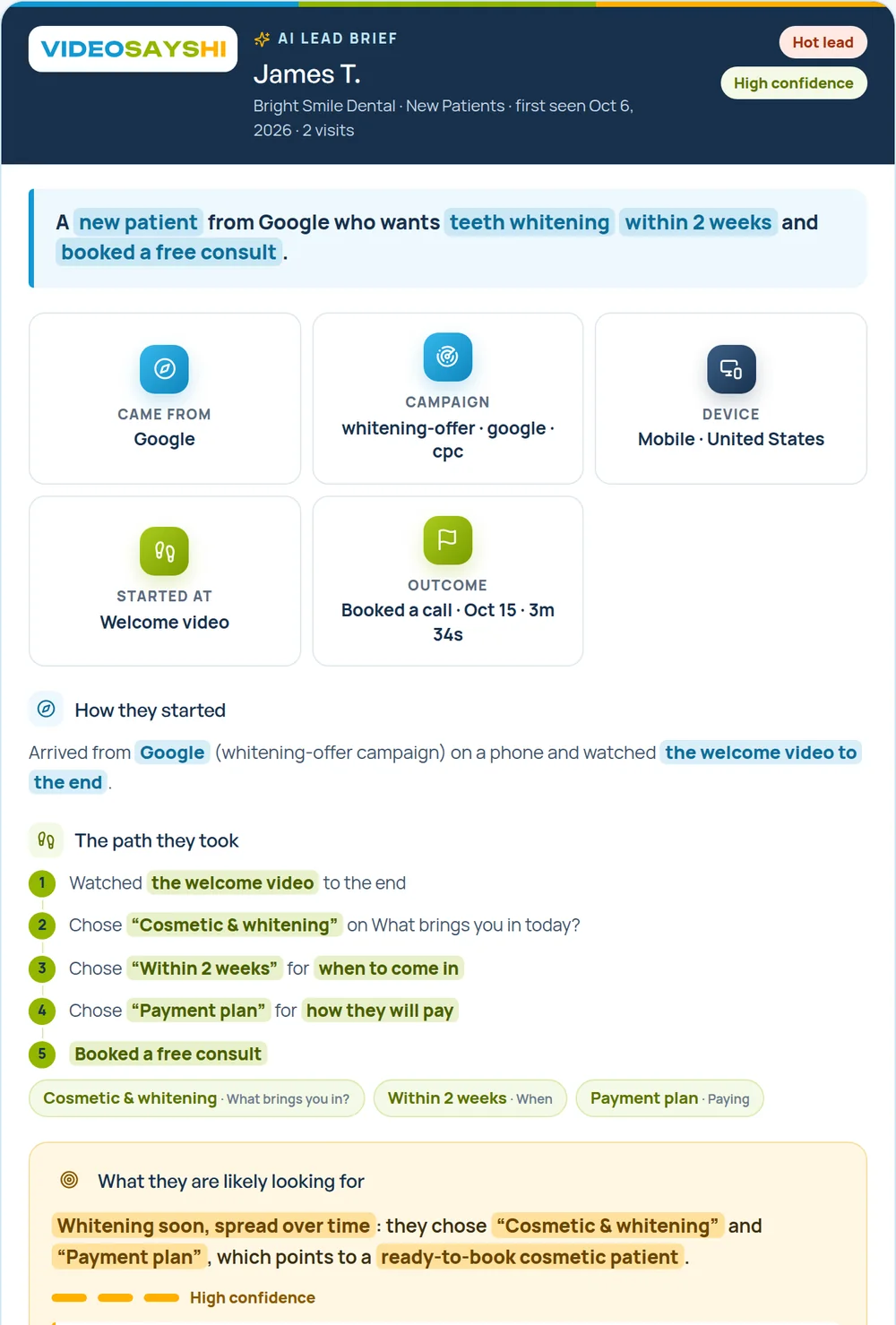
- Read the answers before they arrive, so the first words can be about their reason for coming in.
- Hear about each new patient at once with lead alerts, and follow up the same day with anyone who answered but did not book. The speed to lead guide has a simple routine.
- Mark who showed up. In the calendar, mark each visit as attended or a no-show, so you can see how many enquiries become patients.
Common mistakes
- Asking for the full medical history up front. It feels like paperwork before they have even met you.
- One answer for everyone. A whitening enquiry and a toothache should not hear the same message.
- No path for pain. People in pain want to know how soon they can be seen, first.
- Forgetting people who stopped halfway. The Responses page shows who started but did not finish, and they are often worth a friendly message.
More ideas for dental practices are on the dentists page, and the examples for local businesses show where each answer can lead.
Questions people ask
What should a dental practice ask new patients before the first visit?
What brings them in, whether anything hurts, when they last saw a dentist, who the visit is for and whether they have dental insurance. That is enough to offer the right appointment.
Should I collect medical history in a video form?
No. Keep medical history, medicines and insurance details for your practice’s own patient forms, and keep the video to a few quick taps.
Can new patients book from the video?
Yes. With VideoSaysHi, the booking calendar opens at the end of the video, checks your linked calendar for busy times and sends the patient an invite and reminders.