Interactive video software puts questions, choices and buttons on a video, so people can answer and act while they watch. Many tools do some version of this, and they are built for very different jobs. These 12 questions help you find the one that fits yours before you pay for anything. We make VideoSaysHi, so after each question we say plainly what it does.
In short
Start with the job the video must do: collect replies, train people, sell products or book calls. Then check five things: whether booking is built in, what each lead arrives with, which CRM it reaches and on which plan, what the price is based on, and how it works on a phone. Languages, privacy, teams and set-up time decide between the tools that are left.
1. What job should the video do?
Most tools are built for one of four jobs: collecting replies that people record on camera, training with scored quizzes, selling products in an online store, or turning visitors into booked calls and qualified leads. A tool built for one job can usually do a little of the others, but rarely well. Write down the one result you want each month, such as booked consultations, and judge every tool against it.
VideoSaysHi is built for the last job: booked calls and qualified leads.
If your job is one of the others, VideoSaysHi alternatives says which tool fits better.
2. Can viewers book a time without leaving the video?
If the goal is a call or a visit, the booking step matters most. Some tools send viewers to a separate scheduling page, which means a second tool to pay for and one more place where people give up. Check whether the calendar is built in, whether it reads your own calendar so you are never double-booked, and whether it sends invites and reminders.
VideoSaysHi has a booking calendar on every plan. It checks your linked Google, Outlook or Apple calendar for busy times and sends invites, reminders and links to cancel or reschedule. See how booking works.
3. What does each lead arrive with?
A name and an email are not enough to decide who to call first. Look for the answers each person gave, a lead score, the path they took through the video, and a place for follow-up notes. Ask whether the tool tells you when a good lead arrives.
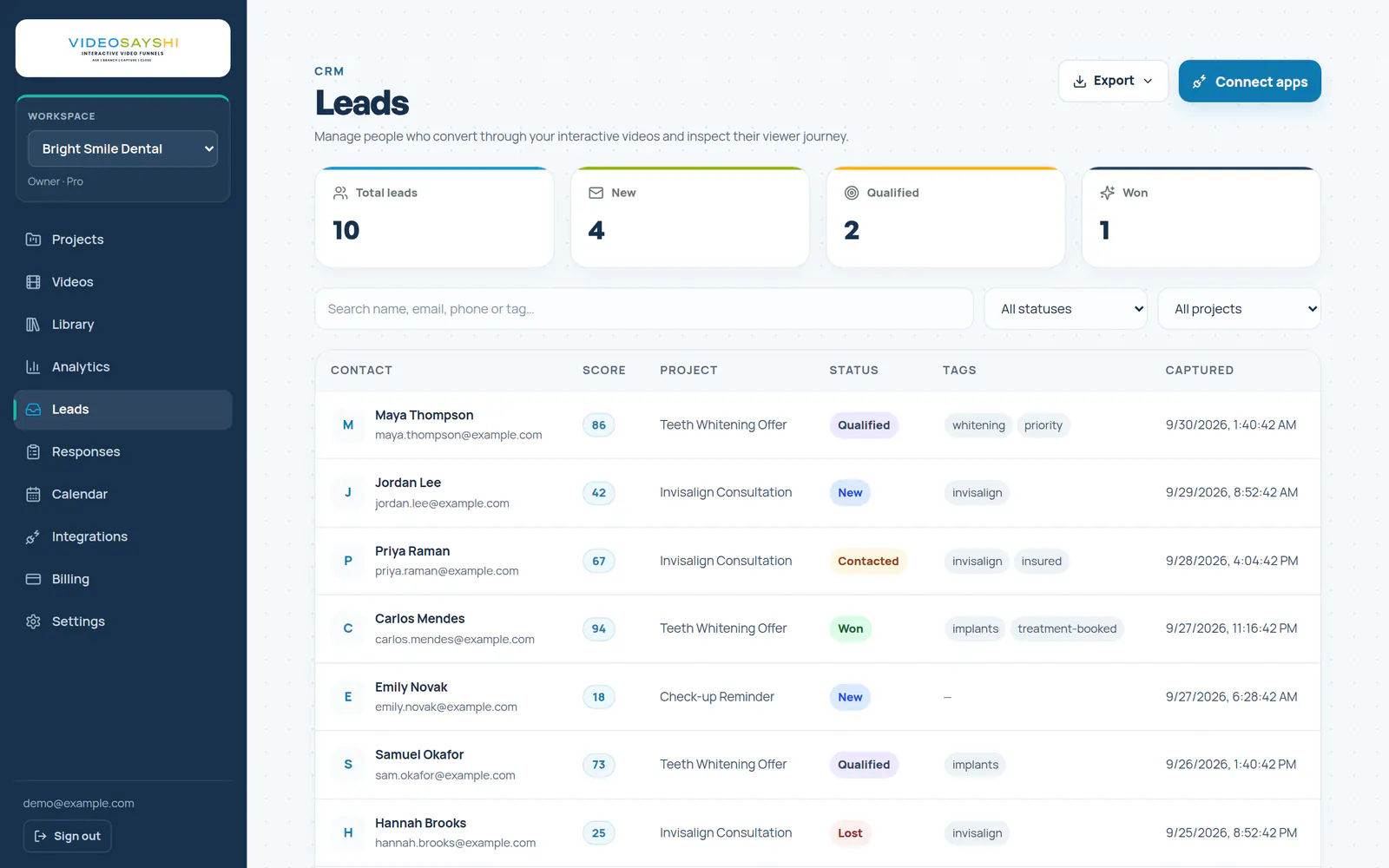
VideoSaysHi gives every lead its answers, a score, its path, a status (New, Qualified, Contacted, Won or Lost) and notes. An AI lead brief suggests how to open the call, and lead alerts email you as each lead comes in.
4. Does it reach your CRM, and on which plan?
Integrations are often only on higher plans, so check the plan, not just the list. If your CRM is not listed, a webhook or a Zapier connection may do the job, but test it before you rely on it.
VideoSaysHi sends leads to Follow Up Boss, Google Sheets, webhooks and email tools such as Mailchimp, Kit, Brevo and MailerLite from the Pro plan. Agency adds Zapier and GoHighLevel. See how to connect your CRM.
5. What sets the price?
Tools charge for different things: minutes of video recorded or uploaded, plays, monthly viewers, seats or the number of videos. The same month can cost very different amounts depending on the model. Count a normal month: how many videos you will use, how many people will watch, how many will answer, and how many people on your team need a login.
VideoSaysHi plans count funnels, plays and responses, with about 3 streaming minutes per play. Starter is $49 a month for 3 funnels, 5 videos, 2,500 plays and 500 responses. Pro is $99 a month and Agency $299. Every plan is on the pricing page.
6. How does it work on a phone?
Most people will watch on a phone, often with the sound off at first. Open the demo on your own phone and check that questions are easy to read and tap, that forms are not hidden behind the keyboard, and that the video can go full screen.
VideoSaysHi opens a question that pauses the video as a large card on a phone, easy to read and tap, and you choose whether funnels go full screen on phones. Try one on the home page.
7. Can each answer play a different video?
Branching is what makes a video feel like a conversation: a buyer sees the buyer video, a seller sees the seller video. Check how easy it is to see and change the paths once there are more than a few.
VideoSaysHi lays the whole funnel out on a canvas, so every path is in view, and checks for broken links, missing videos and steps nobody can reach before you publish. See how to send viewers down different paths.
8. Can it look like your business?
Your colours and logo on the player make it feel like part of your website, not someone else’s tool. Check whether the provider’s badge can be removed, and on which plan.
VideoSaysHi lets you set the player’s colours and controls on every plan. Your own logo, with no VideoSaysHi badge, comes with Pro and Agency. Custom domains are not offered. See how to brand your video player.
9. Which languages can viewers use?
If some of your customers prefer another language, the buttons, forms, dates and emails they see should be in it too, not only the words you record.
VideoSaysHi funnels can be shown in English, Spanish or Arabic, including buttons, forms, booking times and the emails viewers receive. The dashboard is available in English and Spanish.
10. How does it handle consent and privacy?
You are collecting personal details, so check for a consent checkbox on forms, a way to find, export or erase one person’s data, and a clear privacy policy.
VideoSaysHi adds a consent checkbox for marketing emails and lets you export or erase one viewer’s data in a few clicks. See how to export or erase viewer data.
11. Does it work for a team or for clients?
If several people build funnels or follow up leads, check for team roles. If you run funnels for clients, check whether each client gets a separate workspace and how the limits are shared.
VideoSaysHi Agency, at $299 a month, includes 3 team members with owner, admin, editor and viewer roles and up to 3 client workspaces. Starter and Pro are for one user. See how to invite your team.
12. How quickly can you build the first one?
The best tool is the one you actually launch. Look for templates for your industry, help with questions and scripts, and a way to record video in the browser if you have none yet.
VideoSaysHi has templates for 15 industries and a recorder with a teleprompter on every plan. On Pro and Agency, AI Builder drafts the steps, the questions and a script for each video from a short chat.
The checklist on one page
| What to check | VideoSaysHi | |
|---|---|---|
| 1. The job | Replies, training, selling or booked calls? | Booked calls and qualified leads |
| 2. Booking | Built in, or a separate tool? | Built-in calendar on every plan |
| 3. Lead details | Answers, score, path, notes? | All four, plus an AI brief |
| 4. CRM | Which tools, on which plan? | From Pro; Zapier on Agency |
| 5. Price | Minutes, plays, viewers, seats or videos? | Funnels, plays and responses |
| 6. Phones | Easy to read, tap and fill in? | Large cards and full screen |
| 7. Branching | Easy to see every path? | Whole funnel on one canvas |
| 8. Branding | Badge removed on which plan? | Pro and Agency |
| 9. Languages | Buttons, forms and emails too? | English, Spanish and Arabic |
| 10. Privacy | Consent, export and erase? | Yes |
| 11. Teams | Roles and client workspaces? | Agency |
| 12. Set-up | Templates, scripts, recorder? | Yes, AI Builder on Pro |
For tool-by-tool facts and prices, see the interactive video software comparison. For what a funnel looks like in practice, start with what an interactive video funnel is.
Questions people ask
What is interactive video software?
Software that adds questions, choices, buttons and forms to a video, so viewers can answer and act while they watch. Each answer can play a different video, and the answers arrive as leads or results.
How much does interactive video software cost?
It depends on what the tool counts: minutes of video, plays, monthly viewers, seats or videos. VideoSaysHi starts at $49 a month for 3 funnels and 5 videos, with the booking calendar included.
Do I need a separate scheduling tool?
Not with VideoSaysHi: the booking calendar is built in and checks your linked Google, Outlook or Apple calendar for busy times. If you already use another booking page, you can send viewers there instead.
What should I check first?
The job the video must do. Then the booking step, what each lead arrives with, the CRM connection and the pricing model, in that order.
Can interactive video be in Spanish?
With VideoSaysHi, yes: each funnel can be shown in English, Spanish or Arabic, including its buttons, forms, booking times and the emails viewers receive.